AGNTCY

Recovery

Enable Undo, Repair, or Reset for Misalignment and Errors

“Recovery” ensures users are never stuck. Even the best AI systems fail—and when they do, users need safe, reversible, and obvious paths to recover.
This principle makes agentic systems feel less brittle and more forgiving. Recovery should not just correct failure, but allow users to shape the agent’s learning and future interactions.
A strong recovery experience allows users to
Undo agent decisions, step-by-step.
Retry tasks with modified inputs.
Reset workflows to a known, stable checkpoint.
Escalate to human help or switch control back to the user.
Example Patterns
Step-by-step Undo
Step-by-step Undo
Reverse actions one at a time.
Checkpoint Timeline
Checkpoint Timeline
Visually roll back to previous workflow states.
Retry with Edits
Retry with Edits
Adjust and rerun a failed or confusing output.
Escalation UI
Escalation UI
One-tap to switch to a human agent or manual mode.
These should be visible, accessible, and often live alongside the main interaction area (e.g., headers, footers, sidebars).
Undo & Redo Support
Recovery mechanisms like undo and redo build a safety net. They encourage users to interact freely without fear of making irreversible mistakes.
Undo & Redo Support
1

Summary & Context

Provides a concise overview of the source of the problem, explaining what happened, where it happened, and what impact resulted. Helps users quickly verify the core source information behind the error.

2

Event & Time Tracking

Offers a detailed, timestamped sequence of source events leading to the error. Enables precise traceability and validation of when and how the problem originated and evolved.

3

Accountability & User Context

Identifies who is involved and which organization is responsible or reviewing, supporting accountability and giving provenance to the interaction with the data.

What It Means
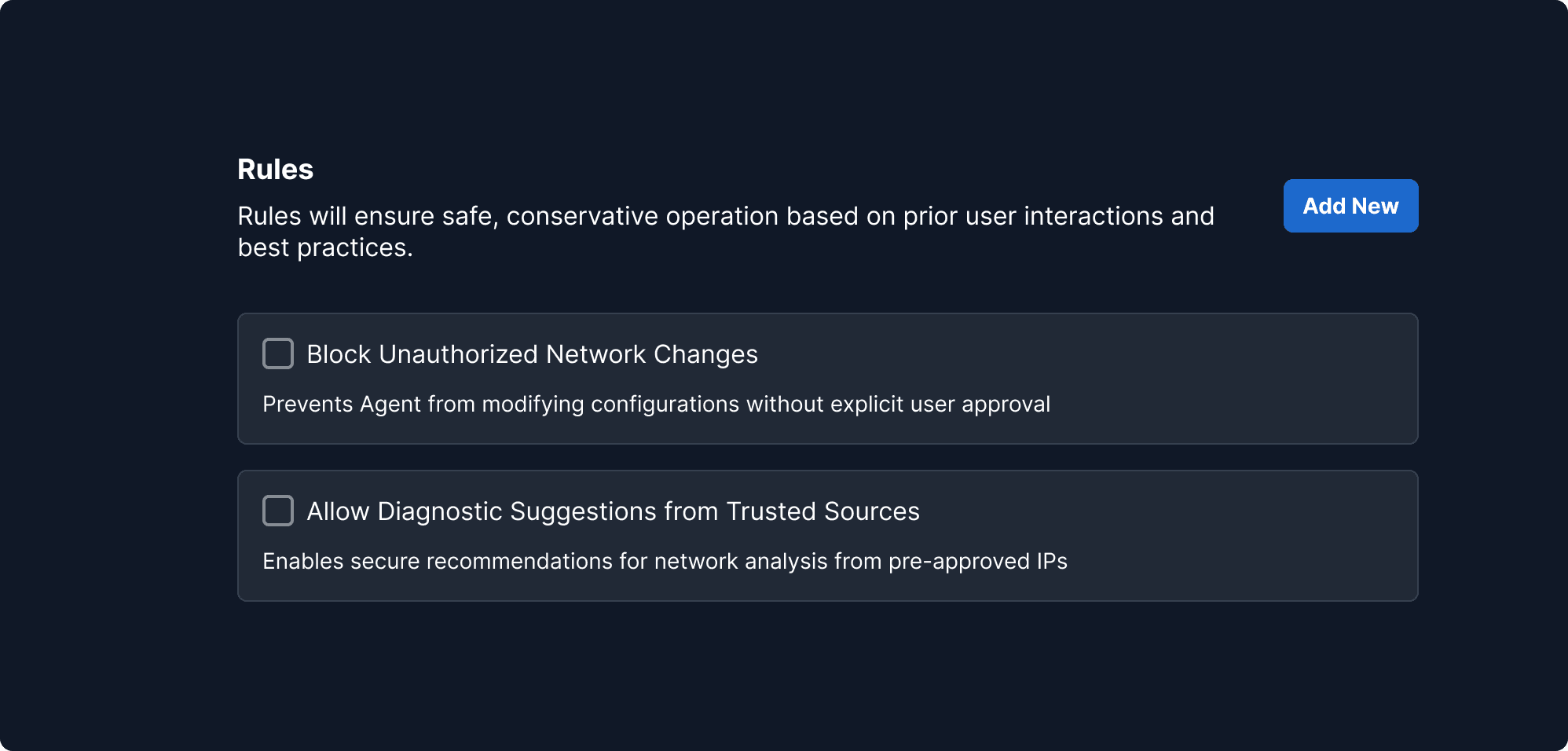
Users should be able to define the limits of agent authority—specifying which tasks are permissible, restricted, or require human oversight.
Why It Matters
Without scoped behavior, agents may act beyond user expectations, leading to broken trust, workflow disruption, or even harm in sensitive environments.
When to Use This Principle
Always applicable when agent actions impact real-world systems (e.g., financial transactions, data deletion, security configurations). It's also critical in early user onboarding when comfort and clarity are low.
What it Looks Like in Action
A smart assistant that suggests schedule changes must request user permission before rescheduling meetings. Interfaces offer toggles like “Only suggest, never act” or scopes like “Only operate within my calendar, not email.”
Editable Outputs
Agents should hand off control. Editable outputs ensure that humans retain authorship and can correct or improve AI-generated content easily.
Editable Outputs
1

Instructions Mode

Users define interaction boundaries by selecting input modes, guiding the agent to operate safely within intended, user-controlled scopes.

2

Instruction Group Title

Defines task boundaries and tracks progress, ensuring scoped, controlled interactions.
What It Means
Agent-generated outputs should be modifiable like human-created content.
Why It Matters
Maintains user ownership and ensures correctness.
When to Use This Principle
For generated text, charts, code snippets, responses, summaries.
What it Looks Like in Action
A draft email generated by an agent is shown in a rich text field, editable by the user with grammar suggestions and rephrase options.
Safe Defaults
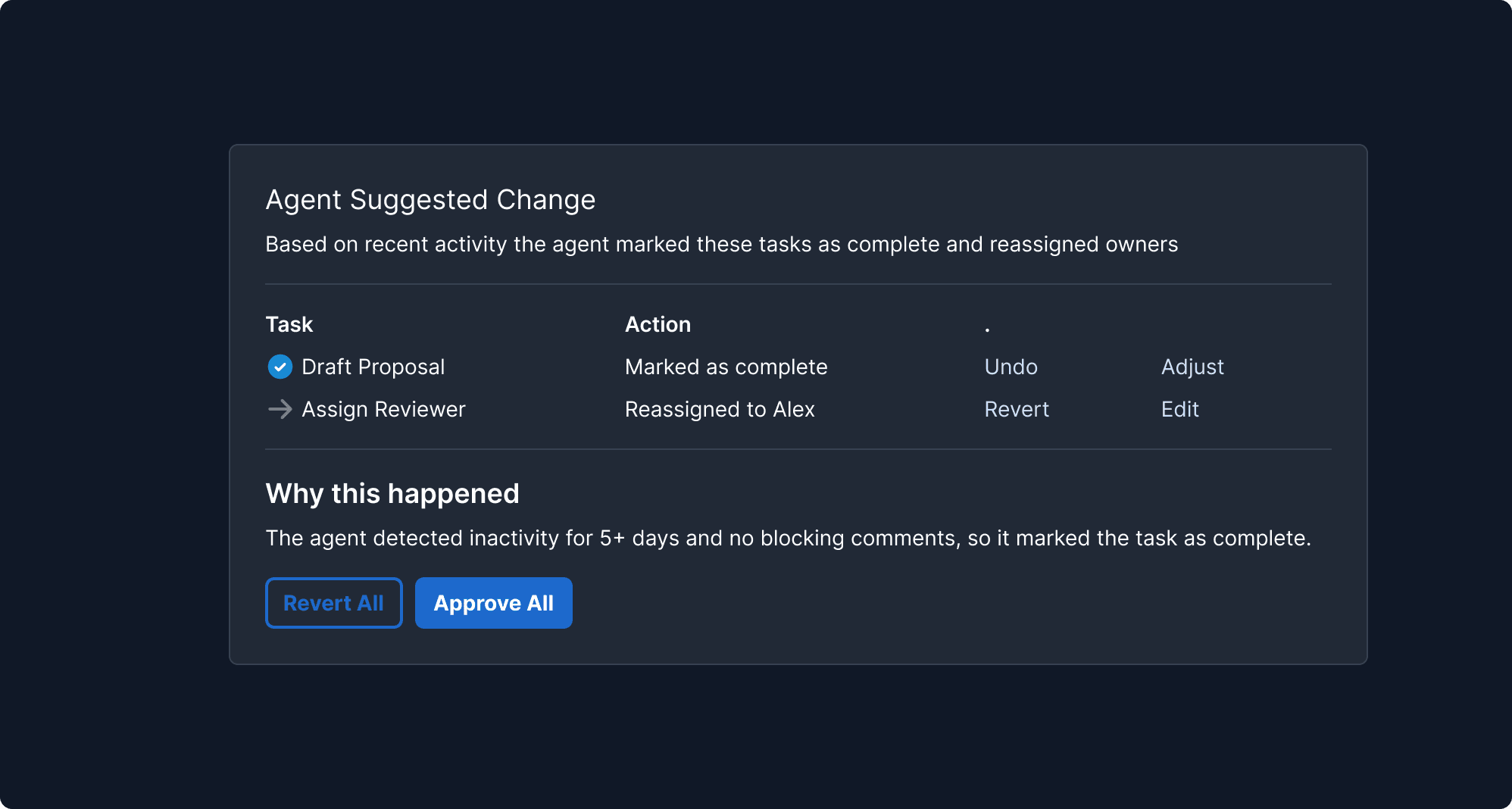
Defaulting to conservative actions prevents harm and sets user-friendly expectations, particularly in early use or high-risk environments.
Safe Defaults
1

Instructions Mode

Users define interaction boundaries by selecting input modes, guiding the agent to operate safely within intended, user-controlled scopes.

2

Instruction Group Title

Defines task boundaries and tracks progress, ensuring scoped, controlled interactions.
What It Means
Agents should default to non-disruptive behaviors, requiring user opt-in for bold actions.
Why It Matters
Prevents unintended consequences and protects new users.
When to Use This Principle
During onboarding, in high-risk domains, or for novice users.
What it Looks Like in Action
An AI financial assistant only highlights transactions that might be fraud, rather than auto-freezing cards. "Would you like to take action?" is shown instead of a direct block.
Escalation Paths
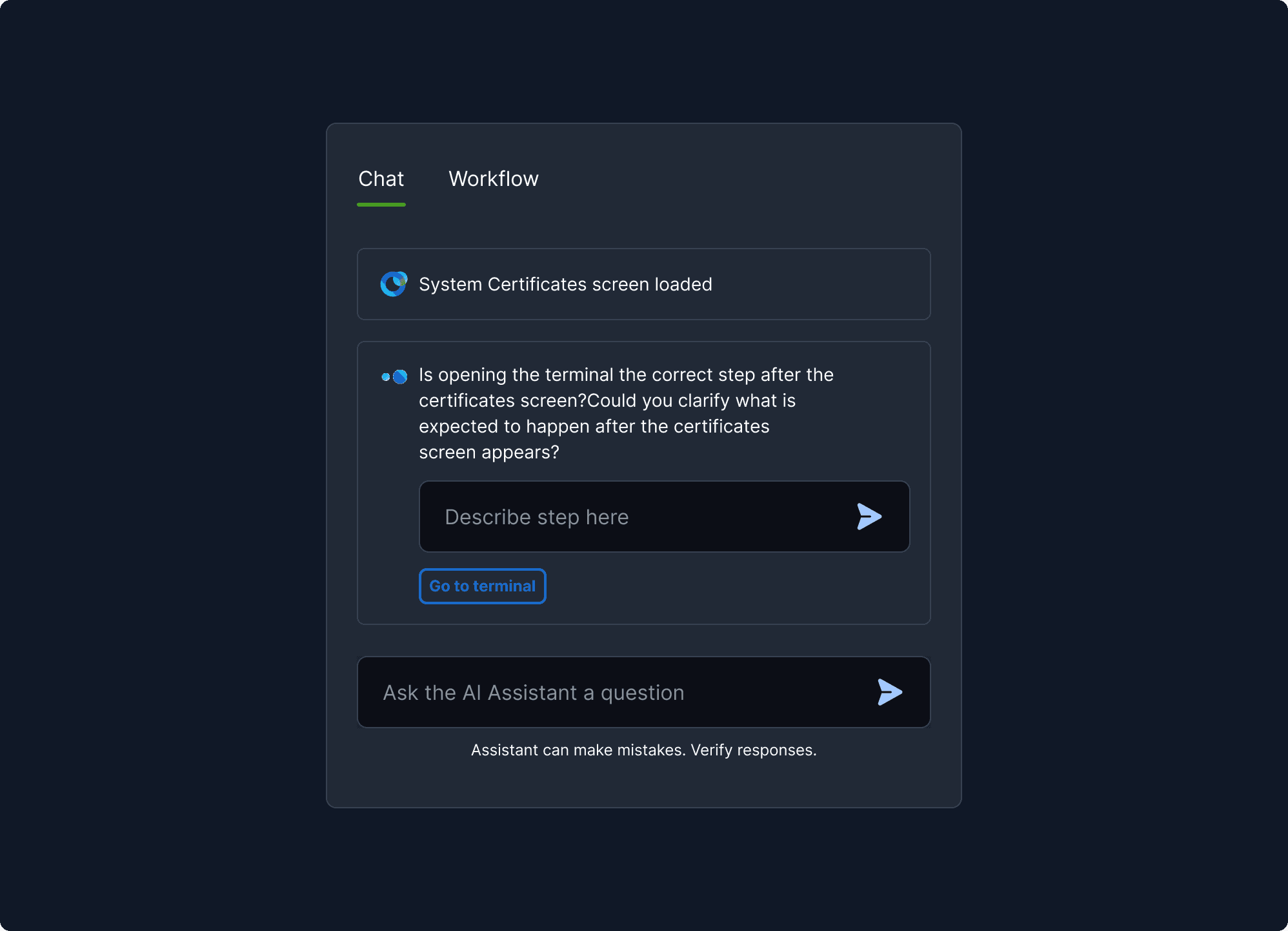
Agents should never trap users. Providing clear escape routes to human assistance or manual control is vital for safety and trust.
Escalation Paths
1

Instructions Mode

Users define interaction boundaries by selecting input modes, guiding the agent to operate safely within intended, user-controlled scopes.

2

Instruction Group Title

Defines task boundaries and tracks progress, ensuring scoped, controlled interactions.

What It Means
Always offer users a clear way to regain manual control or access human support.
Why It Matters
Builds confidence, especially when trust is low or stakes are high.
When to Use This Principle
In customer service bots, workflow agents, diagnosis tools, or automation flows.
What it Looks Like in Action
A chatbot says, “Still not getting it right? Tap here to talk to a human.” Or “Start over” is available after two failed attempts.