AGNTCY

Control

Let the Human Set the Rules

The "Control" principle is about empowering users to define how much power, autonomy, and authority agents should have within any given system.
It serves as the foundation of human-agent collaboration by ensuring that the AI doesn't operate in the shadows or make silent decisions. By giving users the ability to configure behavior boundaries, autonomy levels, and decision-making checkpoints, designers can create agentic systems that are respectful, predictable, and aligned with user intent.
User Expectations
Explicitly define the scope of what the agent can and cannot do.
Adjust how autonomously the agent behaves.
Require explicit approval before high-impact or sensitive actions are taken.
Access settings and override controls quickly and intuitively.
Control isn't just a safeguard—it's a trust-building mechanism. When users know they can set the rules, they’re more likely to explore and partner with intelligent agents confidently.
Example Patterns
Instruction / Scope
Instruction / Scope
Establish what the agent is allowed to do (e.g., restrict it to scheduling but not emailing).
Authority Sliders
Authority Sliders
Users can adjust how autonomous the agent is (suggest-only vs. auto-execute).
Preview Mode
Preview Mode
Allows users to see what an agent would do without it taking real action.
Kill Switch
Kill Switch
Provides users a visible, immediate way to shut down agent activity.
These patterns can be integrated into the UI as interactive controls, global settings, or contextual modals. Incorporating these patterns supports user confidence and promotes safe experimentation.
Scope & Boundaries
This principle emphasizes the importance of user-defined boundaries in AI behavior. It ensures that the agent operates within a well-defined operational perimeter, avoiding unintended or unauthorized actions. Scope setting is foundational for safe, responsible agent use.
Related Pattern
Instruction / Scope
Related Pattern
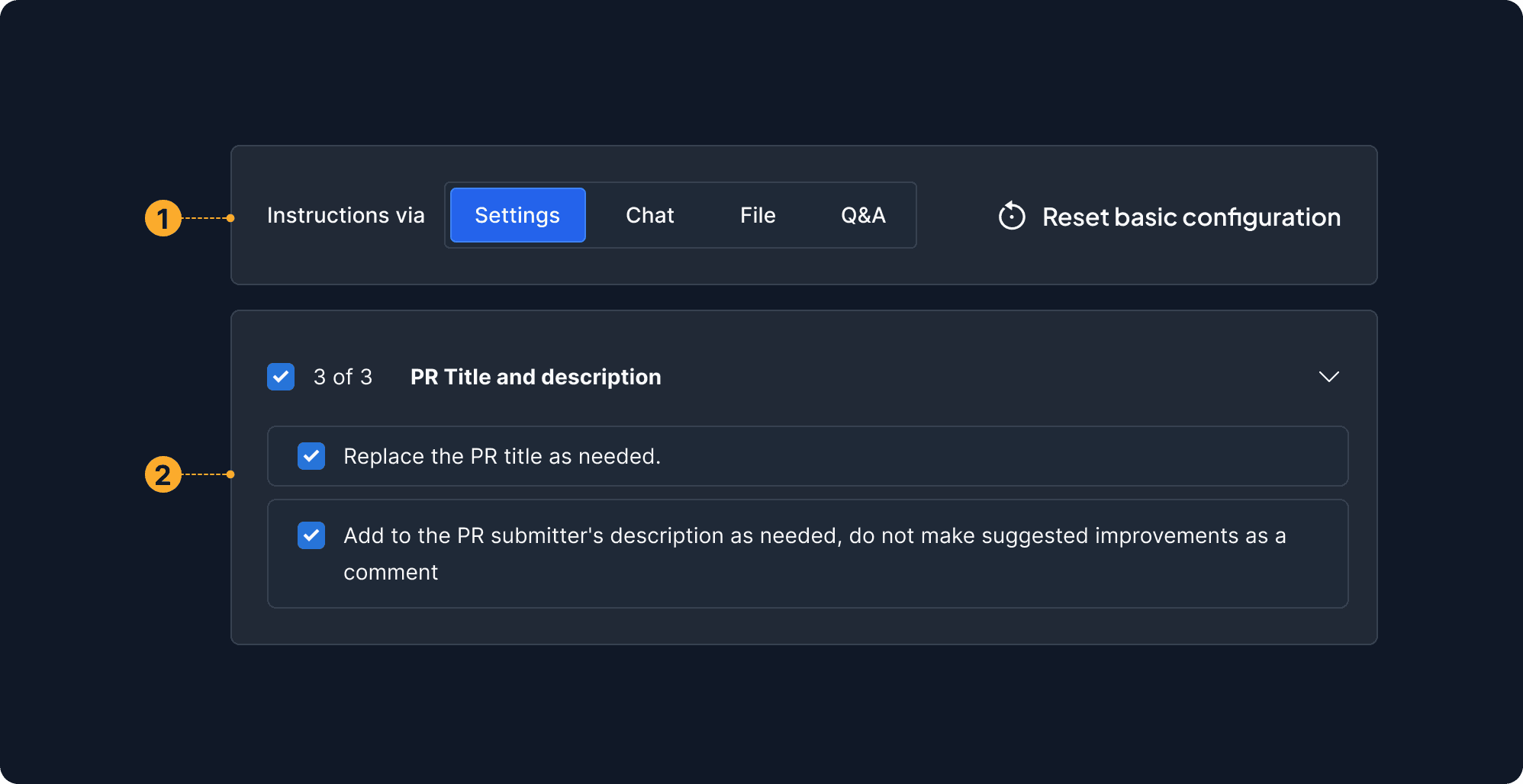
1

Instructions Mode

Users define interaction boundaries by selecting input modes, guiding the agent to operate safely within intended, user-controlled scopes.

2

Instruction Group Title

Defines task boundaries and tracks progress, ensuring scoped, controlled interactions.
What It Means
Users should be able to define the limits of agent authority—specifying which tasks are permissible, restricted, or require human oversight.
Why It Matters
Without scoped behavior, agents may act beyond user expectations, leading to broken trust, workflow disruption, or even harm in sensitive environments.
When to Use This Principle
Always applicable when agent actions impact real-world systems (e.g., financial transactions, data deletion, security configurations). It's also critical in early user onboarding when comfort and clarity are low.
What it Looks Like in Action
A smart assistant that suggests schedule changes must request user permission before rescheduling meetings. Interfaces offer toggles like “Only suggest, never act” or scopes like “Only operate within my calendar, not email.”
Customization of Autonomy
This sub-principle supports a spectrum of autonomy, from passive suggestions to full automation. It enables users to adjust how proactive or restrained an agent should be, according to their comfort, context, or task type.
Related Pattern
Authority Sliders
Customization of Autonomy
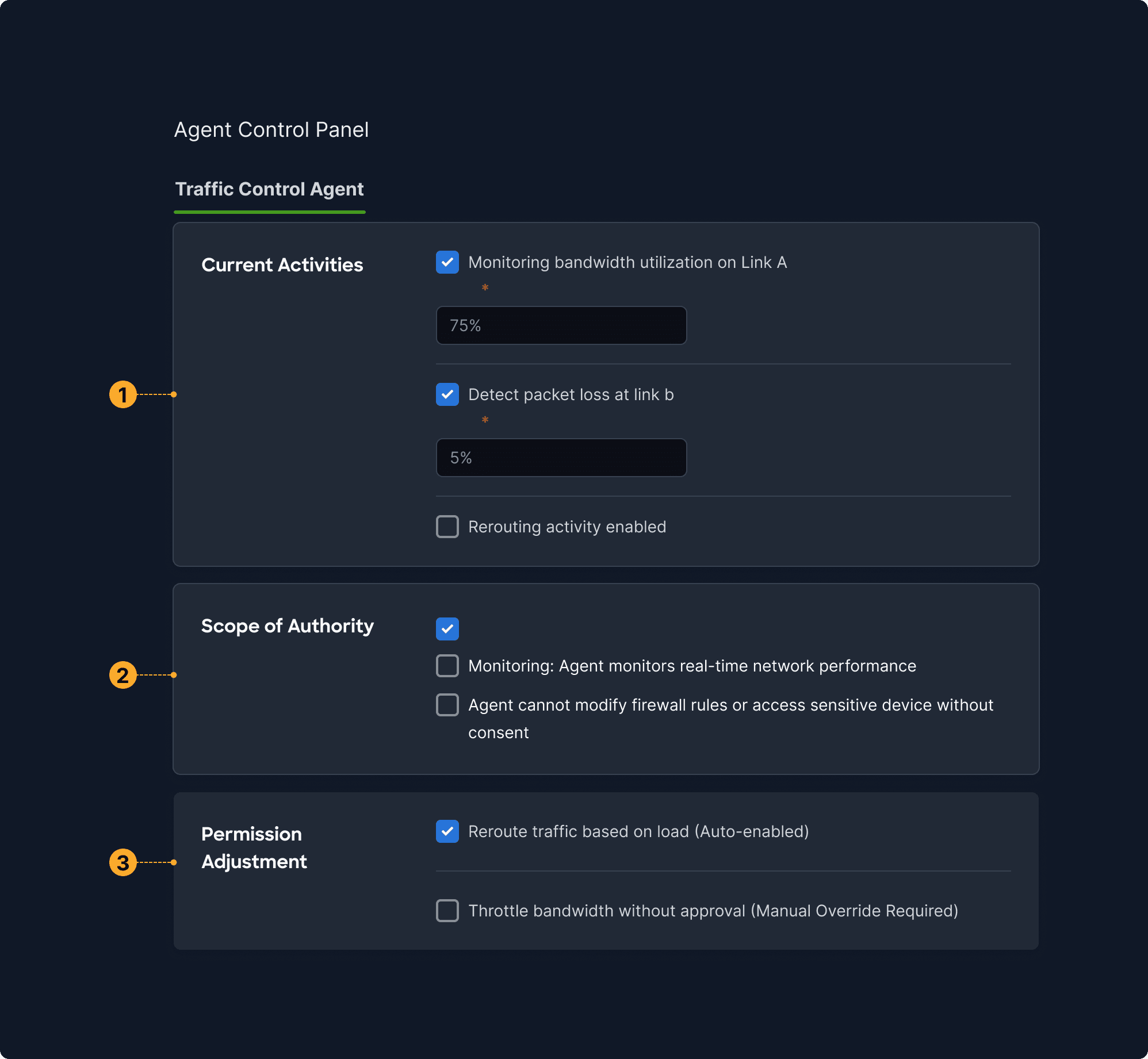
1

Temperature

Fine-tunes the agent's behavioral flexibility—from creative to precise—giving nuanced control over outputs.

2

Select Modal

Lets users choose the intelligence level and cost, putting control over the AI’s “power” directly in their hands.

3

Advanced Settings

Encourages exploration at the user's pace—only reveals complexity when the user is ready for it.
What It Means
Let users fine-tune the degree of automation—deciding how proactive, independent, or silent the agent should be.
Why It Matters
User preferences vary widely. Granular autonomy controls reduce friction and accommodate evolving trust.
When to Use This Principle
Particularly useful in tools with ongoing agent involvement (e.g., document co-authors, AI copilots, workflow bots). Also essential for enterprise contexts with layered roles or permissions.
What it Looks Like in Action
In an AI-powered CRM, users can adjust autonomy settings per function: "Auto-log calls" may be fully automated, while "Send follow-ups" may require manual approval. These options are accessible via a "Behavior Settings" panel.
Permission & Confirmation Gates
This principle introduces checkpoints where explicit human approval is required before an agent proceeds. It helps safeguard critical operations and fosters a culture of shared decision-making between humans and machines.
Related Pattern
Preview Mode / Kill Switch
Permission & Confirmation Gates
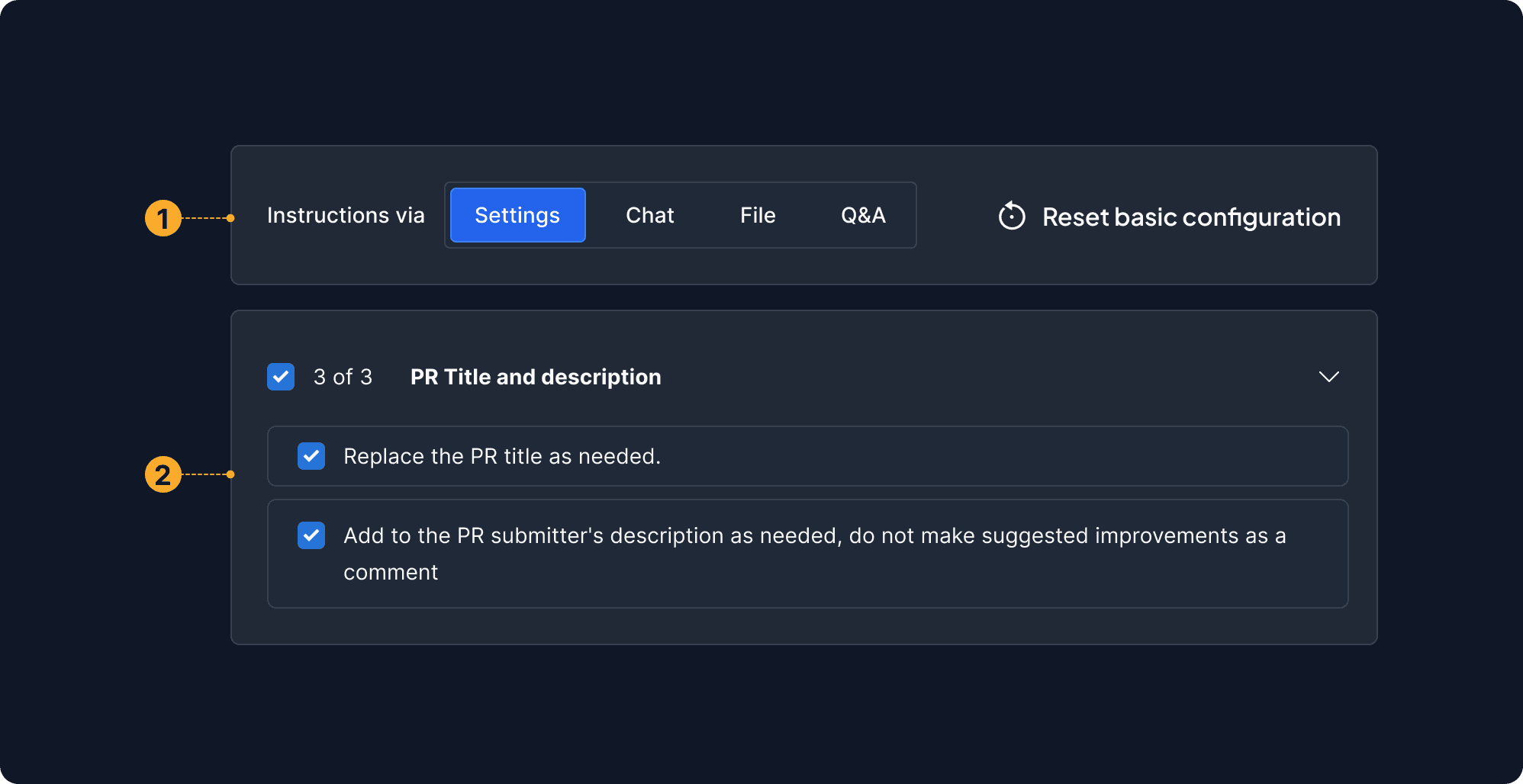
1

Instructions Mode

Users define interaction boundaries by selecting input modes, guiding the agent to operate safely within intended, user-controlled scopes.

2

Instruction Group Title

Defines task boundaries and tracks progress, ensuring scoped, controlled interactions.

What It Means
Introduce checkpoints where user validation is required before executing impactful or irreversible tasks.
Why It Matters
Protects against accidents, preserves oversight, and reinforces shared decision-making.
When to Use This Principle
In scenarios involving irreversible changes—deleting records, publishing documents, transferring funds, changing configurations.
What it Looks Like in Action
Before executing a billing adjustment, a UI overlay appears with a breakdown: 'You're about to issue a refund of $430 to Customer X. Confirm?' The user clicks “Approve” or “Cancel.”