AGNTCY

Collaboration

Encourage effective human-agent teamwork and participation

“Collaboration” transforms agents from tools into teammates. It emphasizes shared ownership over outcomes, inviting humans and agents to alternate control, contribute ideas, and co-edit shared artifacts.
Collaboration is not about who finishes the task fastest—it’s about blending human judgment with AI acceleration.
With collaborative design
Users and agents both participate in turn-taking.
Users approve, modify, or veto suggestions.
Agents signal their role (suggesting, drafting, waiting).
Shared outputs evolve through iterative co-creation.
Example Patterns
Co-edit Mode
Co-edit Mode
Shared spaces where both agent and human can write/edit.
Suggestions & Action Asks
Clear prompts on what the agent wants the human to do.
Approval Queues
Approval Queues
Tasks or content waiting for human validation.
Comment Threads
Comment Threads
Ask the agent 'why' and receive contextual explanations.
Best shown in collaborative UIs—design tools, writing editors, planning dashboards—where humans expect feedback loops and adaptive back-and-forth.
Mixed Initiative
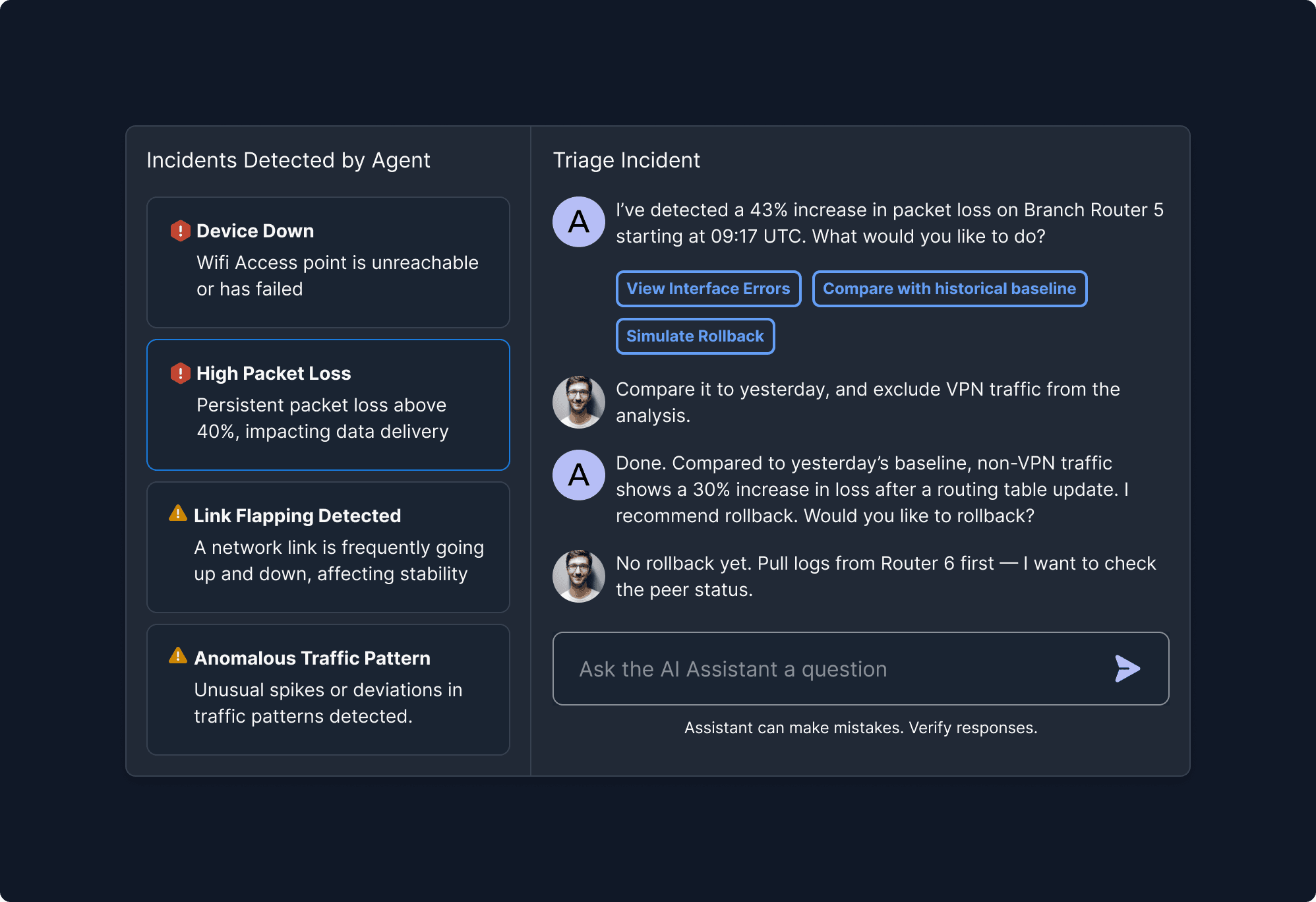
This principle fosters adaptive turn-taking between human and agent. It supports fluid collaboration by allowing either party to lead based on context.
Mixed Initiative
1

Instructions Mode

Users define interaction boundaries by selecting input modes, guiding the agent to operate safely within intended, user-controlled scopes.

2

Instruction Group Title

Defines task boundaries and tracks progress, ensuring scoped, controlled interactions.
What It Means
Either the human or the agent can lead; both can suggest, act, or respond.
Why It Matters
Mimics real teamwork and improves outcome quality.
When to Use This Principle
In collaborative tools like design platforms, document creation, or problem-solving apps.
What it Looks Like in Action
The agent proposes a meeting time, the user adjusts it, and the agent reschedules accordingly.
Suggestions vs. Actions
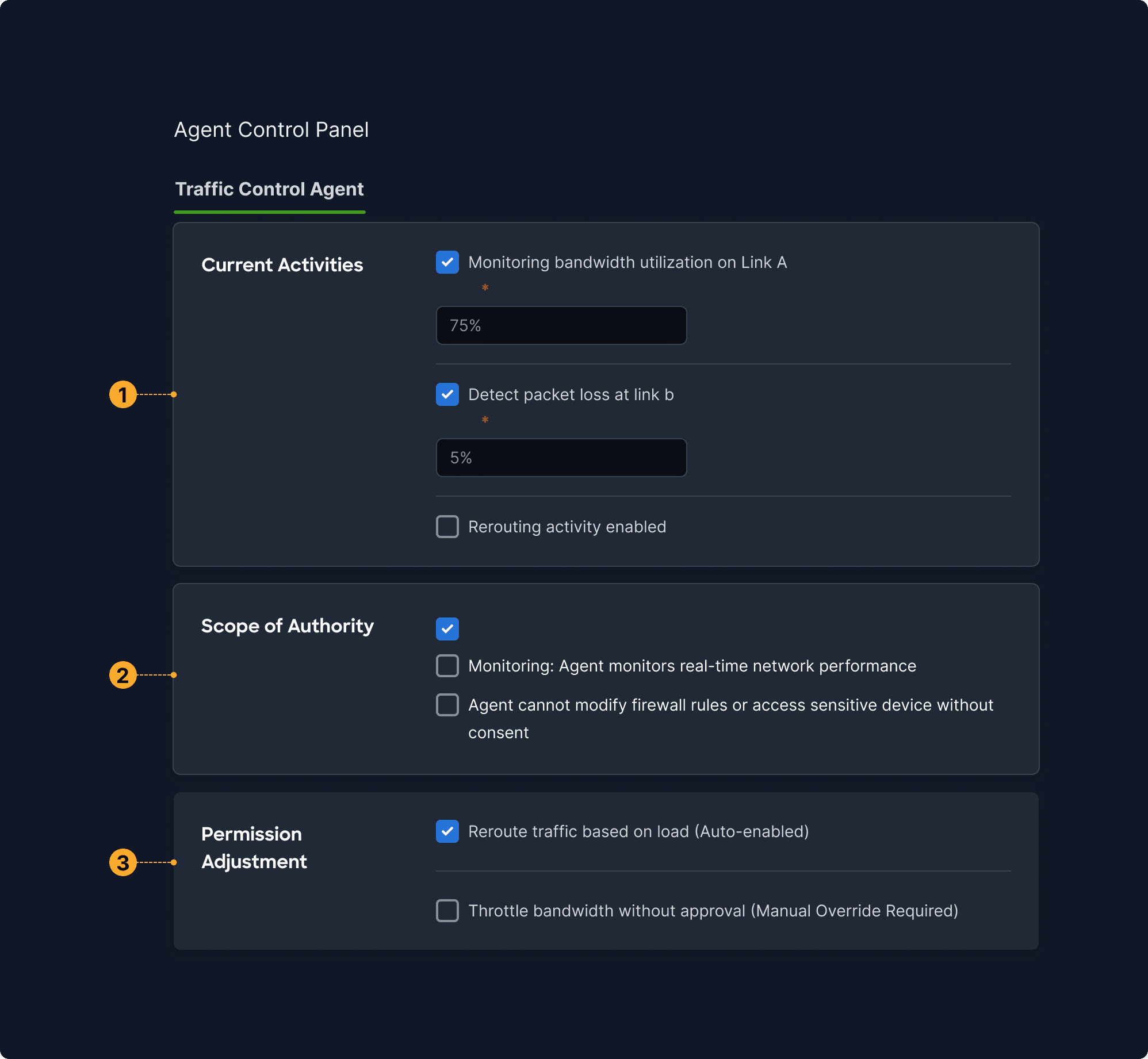
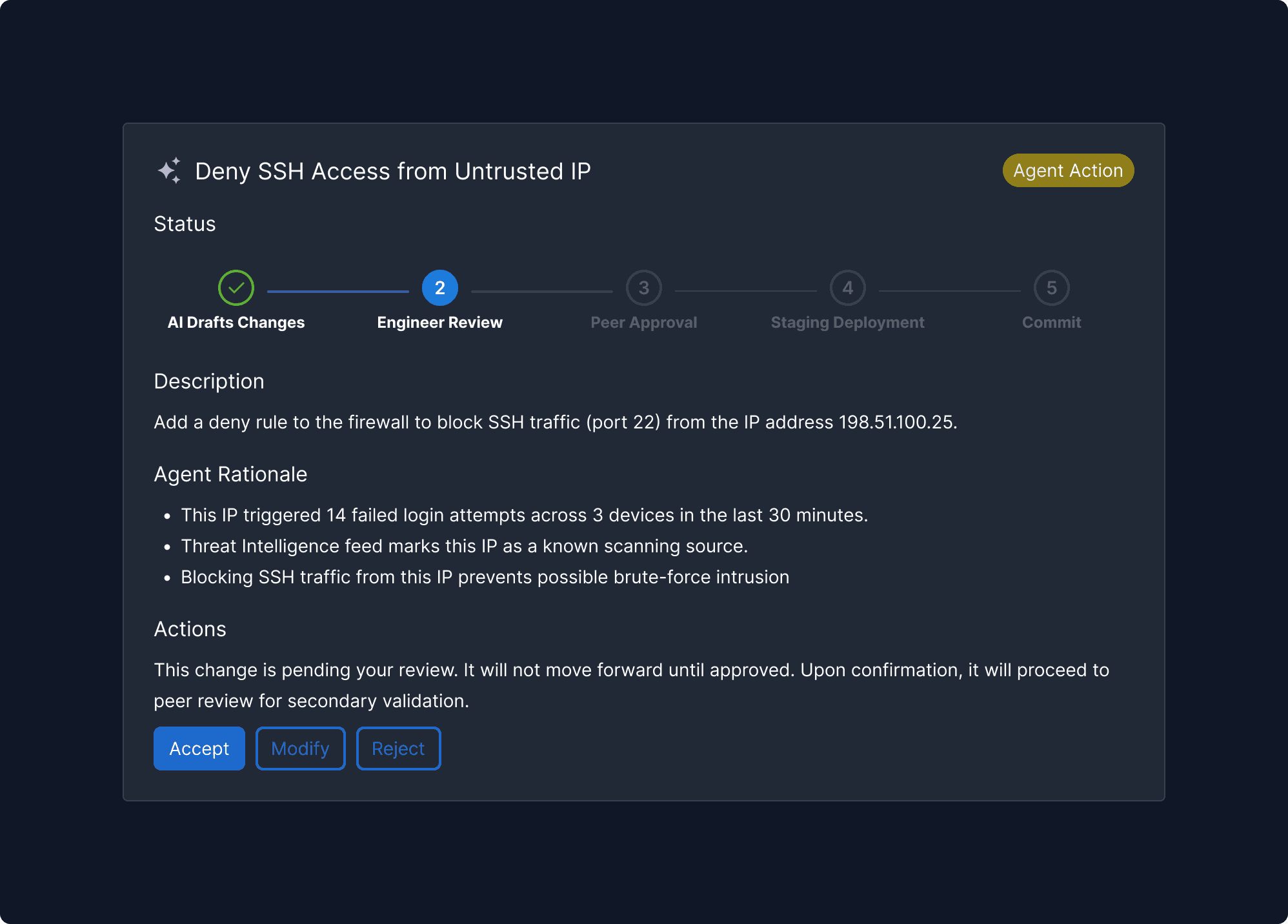
Clarity in agent intention—whether it’s recommending or executing—is essential to avoid misunderstandings and empower user decision-making.
Suggestions vs. Actions
1

Instructions Mode

Users define interaction boundaries by selecting input modes, guiding the agent to operate safely within intended, user-controlled scopes.

2

Instruction Group Title

Defines task boundaries and tracks progress, ensuring scoped, controlled interactions.
What It Means
Visually and behaviorally distinguish when the agent is suggesting vs. executing.
Why It Matters
Clarifies responsibility and enables human oversight.
When to Use This Principle
In automation-heavy tools where users may assume actions have already occurred.
What it Looks Like in Action
Cards in a dashboard labeled “Suggested Action” vs. “Completed by Agent” with icons and timestamps.
Co-Editing Interfaces
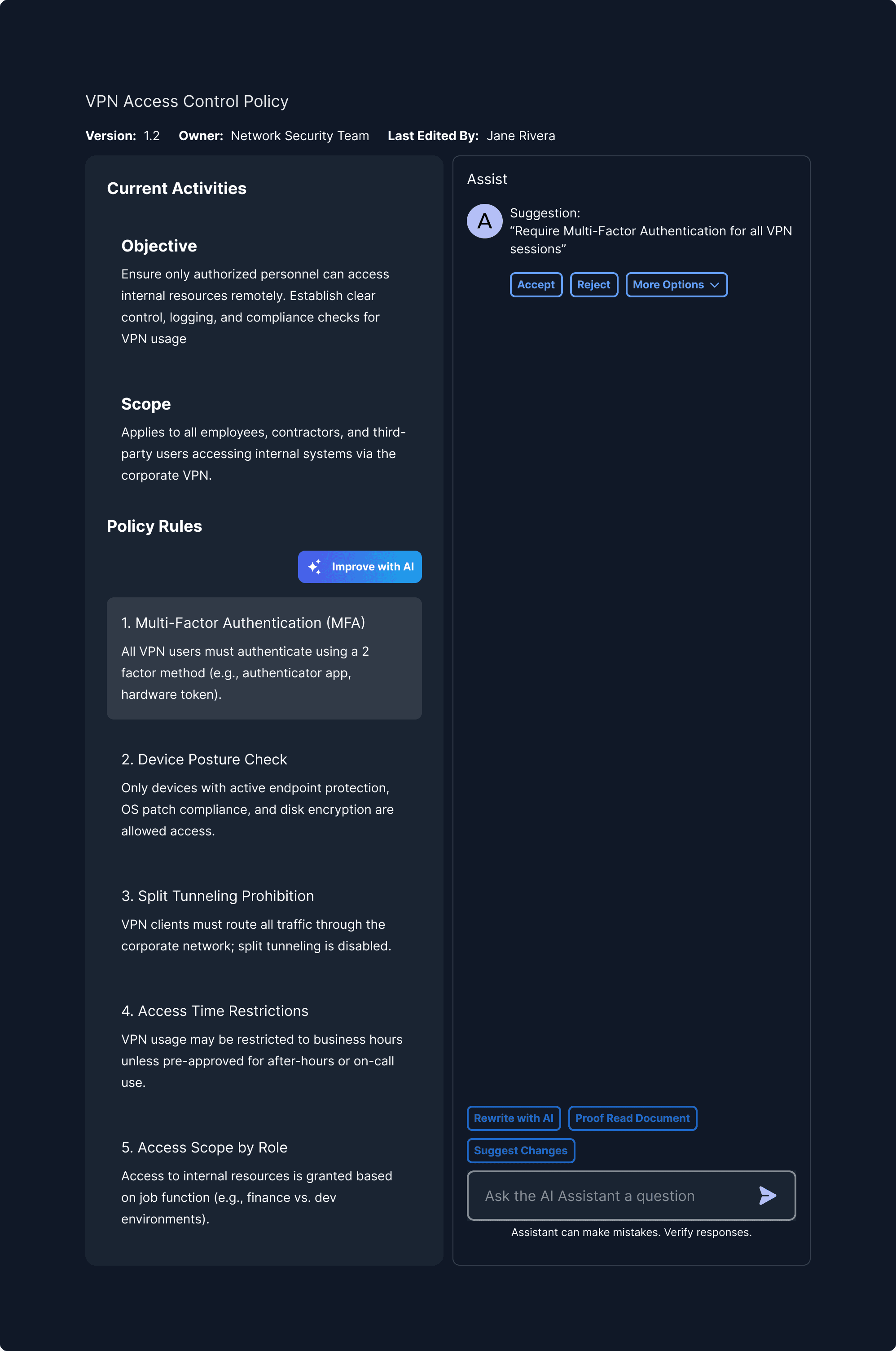
Shared editing tools facilitate back-and-forth refinement of content or ideas. They support mutual contribution and a sense of joint ownership.
Co-Editing Interfaces
1

Instructions Mode

Users define interaction boundaries by selecting input modes, guiding the agent to operate safely within intended, user-controlled scopes.

2

Instruction Group Title

Defines task boundaries and tracks progress, ensuring scoped, controlled interactions.
What It Means
Agents and humans contribute to shared artifacts collaboratively.
Why It Matters
Supports high-value work like ideation, content generation, and planning.
When to Use This Principle
In wikis, whiteboards, reports, product specs.
What it Looks Like in Action
In a slide deck, the agent drafts three slides. The user rewrites one, and the agent comments, “Should I update the others to match tone?”
Role Clarity & Turn Signals
Clear handoffs and visible role signals reduce confusion in multi-step tasks. This principle makes collaboration feel more natural and efficient.
Role Clarity & Turn Signals
1

Instructions Mode

Users define interaction boundaries by selecting input modes, guiding the agent to operate safely within intended, user-controlled scopes.

2

Instruction Group Title

Defines task boundaries and tracks progress, ensuring scoped, controlled interactions.

What It Means
Interfaces should clearly indicate who owns the next move.
Why It Matters
Avoids overlap, deadlocks, or missed steps.
When to Use This Principle
In back-and-forth flows or systems with task ownership.
What it Looks Like in Action
A sidebar shows: “Agent reviewing step 2…” followed by “Your input needed to proceed.”